 |
 |
|

|
Lara's Amazing Backpack | |
| What
makes-up the formidable 'arsenal in a bag' that helps Lara out of
the stickest situations? Here is an over all inventory of items that
Lara has her disposal from all of the TR games to date. |
 |
Compass - Press Escape to go to the inventory screen. The compass is on the left side, below the menu ring. Remember, the red side of the needle always points north. The simplest way to get your bearings is to point Lara so she's facing due north, then the settings on the compass will read true. The compass points relative to Lara's point of view. |
 |
Timex TMX - Lara gets a new watch to keep tabs on her game level stats in TR-Chronicles. |
 |
Twin 9mm pistols - Lara's American Express card – she never leaves home without them. What they lack in power they make up for in an unlimited ammo supply. You can aim while running and jumping, and will auto- lock onto a target if you hold Action. Remember to release Action to target another enemy. Can also be used in place of flares in dark areas. These aren't part of her pack, but definitely just as indespensible. |

 |
Flares - Very illuminating for any tomb's dark corners. The flares used in TR-TLR are more closely resemble bright-sticks. |
 |
Small Medpak - Restores Lara's health by one half. |
 |
Large Medpak - Restores Lara's health fully. |
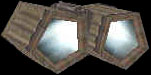 |
Binoculars - After selecting, your view will change to binocular view. Use the < and > keys to zoom out and in. (NOTE: If you have reconfigured your controls, these will be the same keys as Flare and Sprint.) Use the space bar (draw/holster weapons) to put the binoculars away and return to normal view. |
 |
Crowbar - Useful for prying open crates throughout TR-TLR |

|
Shotgun - Powerful but slow to reload and hard to aim while moving. Best for unarmed enemies at close range. |
| Magnums (TR1) or Automatic Pistols (TR2) - like the pistols, only with a slightly faster output. Will lock on target if you hold Ctrl. Can aim while running and jumping. |
 |
Desert Eagle Pistol (TR3) & Revolver (TR-TLR) - same actions as Magnums. More powerful than the pistols. Great at close range. One or two shots brings down most enemies; much easier to target than the shotgun. Replaced the Magnum & Automatic. In TR-TLR, the revolver is one of the weapons that can be combined with the laser sight for more accurate long-distance targeting. |
 |
Revolver ammo - |
 |
Laser sight - can be combined with a number of the larger weopons (the revolver and crossbow) for accurate long-range targeting. Controls are similar to the binoculars. Use the menu ring to combine the weapon and laser sight. When you press the Look button, the view will change to laser-sight view. Use the < and > keys to zoom out and in as needed. Release Look or put away the weapon to return to normal view. |
 |
Uzis - these literally pepper the target very quickly, and perfect for tougher enemies. Can aim while running and jumping. Will lock on target if you hold Ctrl. |
 |
Uzis clips |
| M-16 Assault Rifle (TR2) Powerful. Can be used in most situations, but I found this best for targeting larger/armed enemies at a distance. Will lock on target but doesn't target easily, so be careful not to waste ammo. |
| MP5 Assault Rifle (TR3) Similar to the M-16 and replaces it in TR3. Targets well at a distance; rapid fire rate. Hard to aim while moving, so best for sniping. |
 |
Grenade Launcher (TR2 and 3) Grenade Gun (TR-TLR) Lara cannot throw grenades. She must use the grenade launcher, which hurls a grenade up to about 8-10 squares ahead. If it hits something before that, it will explode on impact. Auto-aims but not too well. Best used for bigger, harder enemies in the higher levels. |
 .
. 
|
Grenades - In TR-TLR, the grenade gun can be used with three different types of ammo: normal, super (big boom) and flash (blinding). |
| Rocket Launcher (TR3) Lara's biggest, most powerful weapon to date. Naturally best for long-distance. Rockets are few and far between, so use them wisely. |
| Harpoon Gun (TR2 and 3) The only weapon that can be used underwater. Fires four harpoons then there's a pause as Lara reloads. In a few cases, it can be used from the water to shoot targets on land. |
 |
Crossbow (TR-TLR) For precise targeting at a distance. The crossbow can be combined with the laser sight and used with three different types of arrows: normal, poison and explosive. |
 |
Crossbow ammo - (TR-TLR) there three different types of arrows: normal, poison and explosive. |
|
Conserve your med-packs -
Conserve your flares -
Combining/separating items & choosing ammunition -
Automatic vs. Manual Targeting - |