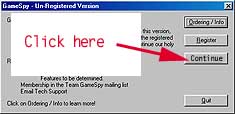
Once you have installed gamespy and run it you will get to this screen. Click on Continue and don't worry about the rest for now.
You will be taken to the Gamespy starting dialogue window. Here you will be presented with a couple of options, one of them being create a "New..." profile. Click on this button to continue.
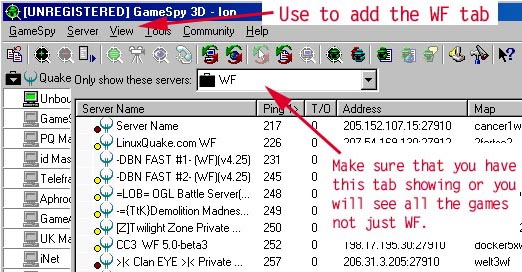
 icon to refresh the whole server list you must realize that this will
take up to an hour or more on a 56k modem to refresh. :( So go clean you
room or read a book while it makes up its mind. Luckily you will only
need to do this once a week at most to check for new servers. It can also
be run once a month if this is too often.
icon to refresh the whole server list you must realize that this will
take up to an hour or more on a 56k modem to refresh. :( So go clean you
room or read a book while it makes up its mind. Luckily you will only
need to do this once a week at most to check for new servers. It can also
be run once a month if this is too often.
 icon
to refresh this list. A task that takes probably a minuet at most. From there
write down the address and start up Quake 2 and type 'connect <ip>' or
double click the server to have gamespy connect you. If you are going to be
using gamespy as you primary way to connect, it is good to get to know the interface
well so that you can eliminate any frustrations that come with using this program.
icon
to refresh this list. A task that takes probably a minuet at most. From there
write down the address and start up Quake 2 and type 'connect <ip>' or
double click the server to have gamespy connect you. If you are going to be
using gamespy as you primary way to connect, it is good to get to know the interface
well so that you can eliminate any frustrations that come with using this program.