





After much anticipation, the Resource
Room was finally opened last year. It is equipped with thirty PCs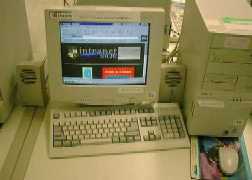 , all hooked up on the
College's Intranet Network and also linked to the Internet. This
was a big improvement over the old Media Resource Centre, which
has only one computer linked to the Web and the other two for the
CD ROMs, and the Computers are Pentium 90s with the modem speed
at a humble 14.4bps. The new computers in the Resource Room are
Pentium 166s with network assess to the Net, making Net surfing a
breeze, and as expected, it quickly became an extremely popular
venue as a place to past the time surfing the Net.
, all hooked up on the
College's Intranet Network and also linked to the Internet. This
was a big improvement over the old Media Resource Centre, which
has only one computer linked to the Web and the other two for the
CD ROMs, and the Computers are Pentium 90s with the modem speed
at a humble 14.4bps. The new computers in the Resource Room are
Pentium 166s with network assess to the Net, making Net surfing a
breeze, and as expected, it quickly became an extremely popular
venue as a place to past the time surfing the Net.
INSTRUCTIONS FOR USAGE
Enter your name and CG in a slot that you want in the internet booking file available at the counter. You are only allowed to book a maximum of two slots per day. Usage is limited to one computer terminal per person.
Before entering the Resource Room, surrender your IC or Bus Pass at the counter.
Do not be caught being in the room without submitting your card or pass or booking a slot.
Remember to collect your IC or Bus Pass at the end of your session.
There should not be any viewing of pornography while surfing and no chatting should be done either.
If a teacher needs to book or has prior booking of the room, priority will be given to the teacher.
The user id is: guest; the Password is: guest


